Try this setup#
Open in the editor Home page → Shop the look
Let customers explore the products shown in one image.
- Open Shop the look and choose the image that contains the products you want to feature.
- Select each Product point block, connect its actual product and position its hotspot over the matching item.
- Open every hotspot in the preview. On mobile, check that shoppers can select each point without covering the information.
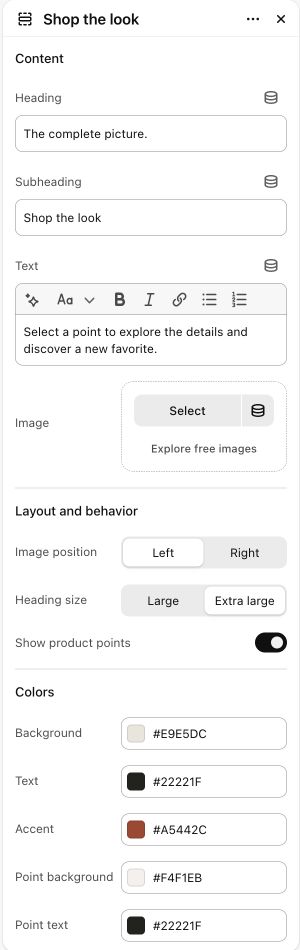
See the Shop the look controls
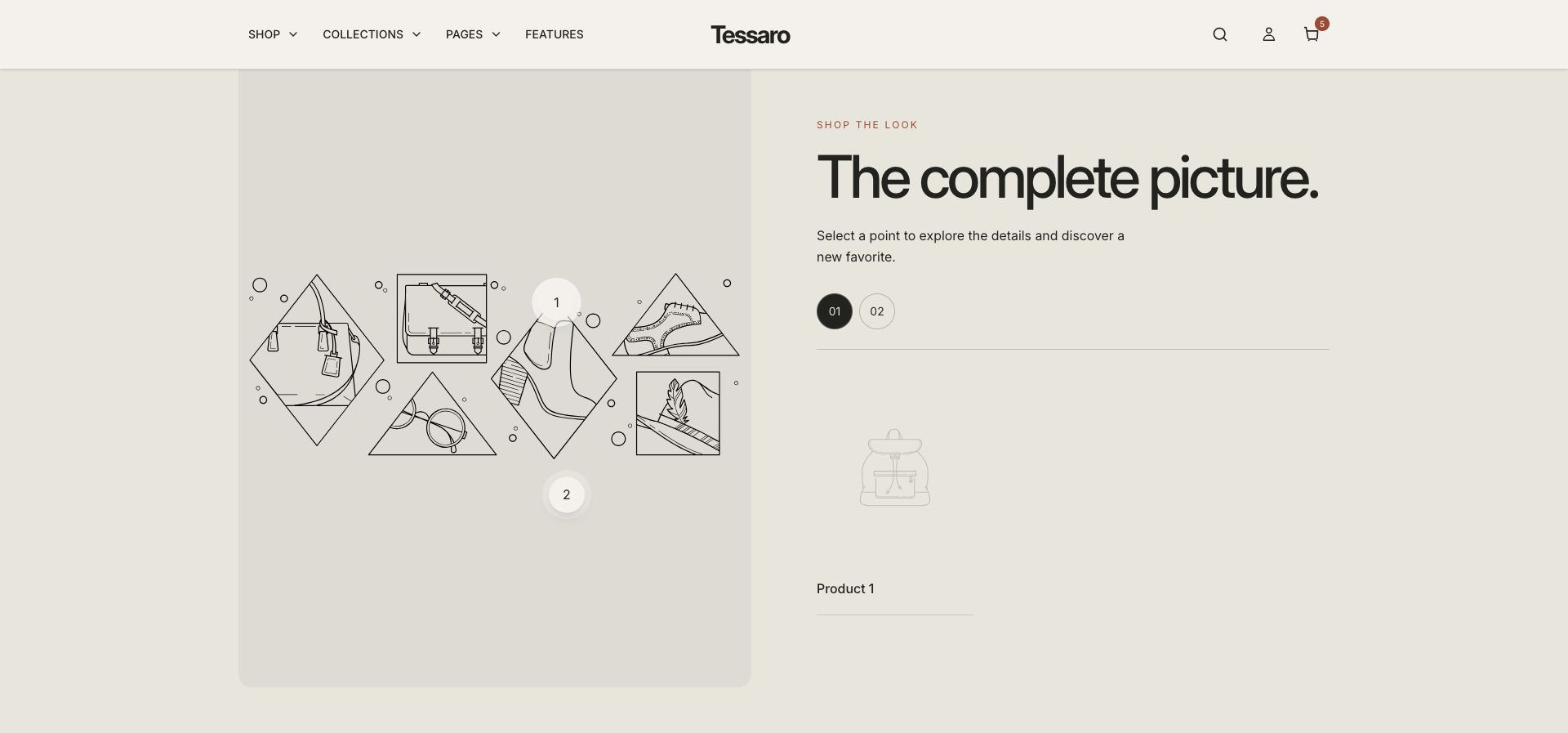
What to look for Each numbered point opens the matching product. Generic Product 1/2 placeholders disappear after you connect your products.
When to use it#
Connect image hotspots to specific products.
Set up#
Choose an image, add product hotspot blocks, and configure point positions.
Available from Add section where supported by its template restrictions. Excluded from: groups: header, footer
Section settings#
These are schema defaults. Your installed theme or selected preset can use different saved values.
Content
Heading#
Adjust this control in the theme editor and preview the result in the relevant template.
- Control
- text
- Default
- Wear it your way.
Subheading#
Adjust this control in the theme editor and preview the result in the relevant template.
- Control
- text
- Default
- The complete picture
Text#
Adjust this control in the theme editor and preview the result in the relevant template.
- Control
- richtext
- Default
- <p>Select a detail. Discover your next favorite.</p>
Image#
Adjust this control in the theme editor and preview the result in the relevant template.
- Control
- image picker
- Default
- Not set
Layout and behavior
Show product points#
Adjust this control in the theme editor and preview the result in the relevant template.
- Control
- checkbox
- Default
- On
Colors
Background#
Adjust this control in the theme editor and preview the result in the relevant template.
- Control
- color
- Default
- #E9E5DC
Text#
Adjust this control in the theme editor and preview the result in the relevant template.
- Control
- color
- Default
- #22221F
Accent#
Adjust this control in the theme editor and preview the result in the relevant template.
- Control
- color
- Default
- #A5442C
Point background#
Adjust this control in the theme editor and preview the result in the relevant template.
- Control
- color
- Default
- #F4F1EB
Point text#
Adjust this control in the theme editor and preview the result in the relevant template.
- Control
- color
- Default
- #22221F
Spacing
Margins add space outside the section. Padding adds space inside it.
Blocks#
Add, reorder and configure the supported blocks in the editor. Some block types have an individual limit.
Product point#
Product#
Adjust this control in the theme editor and preview the result in the relevant template.
- Control
- product
- Default
- Not set
Section block limit: 6.