Help people browse a collection#
Open in the editor Page selector → Collections → Collection page
Choose the layout around the products people need to compare.
- Preview a populated collection.
- Choose the product count, columns and pagination mode.
- Configure eligible filters in Search & Discovery, then preview the collection again.
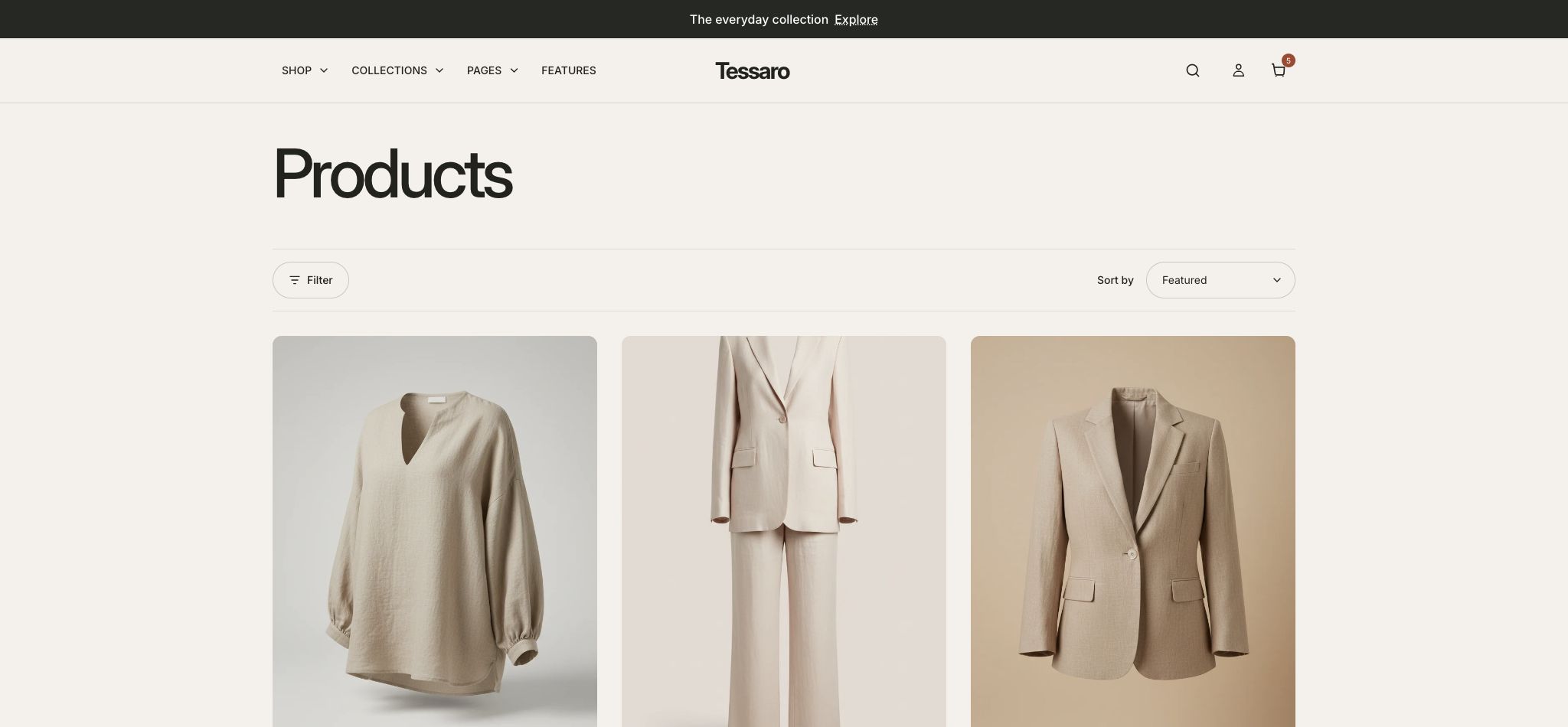
What to look for Cards are easy to compare and the filtering controls match your catalog data.
Configure a collection#
- Create a collection and assign products in Shopify. Add a collection image and description if used.
- Preview the collection template and open Collection page.
- Choose banner/image/title/description visibility and image overlay.
- Set Products per page, Desktop columns, Mobile columns, filtering, sorting, and pagination mode.
- Check the layout with both short and long product titles and with sale/sold-out products.
Add Shopify filters#
Create and organize filters with Shopify Search & Discovery, then enable Show filtering options in the Collection page section. The theme displays the filters Shopify supplies; adding a checkbox in a theme does not create catalog filter data.
Pagination modes#
| Mode | Experience |
|---|---|
| Pages | Numbered page links with next/previous navigation. |
| Load more | A customer-controlled request for the next set of products. |
| Infinite scroll | Additional products are requested as the relevant boundary approaches; test loading, failure recovery and the footer on your store. |
Visual filter values#
Swatch/image filter values require compatible data and Search & Discovery configuration. Card swatches and filter swatches are separate: configuring card color mapping does not create Shopify filter swatches.
Troubleshooting#
- If filters are missing, check Search & Discovery, collection contents, and Shopify’s current filtering limits.
- Test the combined state: sort first, apply a filter, clear it, and move between pages.
- A filter result of zero should show a useful empty state.
- Collection and search filtering are not necessarily identical. Confirm which controls are present in the actual search layout.